

From First Reportto Verified Prevention.
The report is the start, not the finish. X3 Incidents protects people first, preserves the facts, walks the investigation to the conditions that made the event possible and keeps every corrective action open until someone independent confirms it worked.
- Injuries & Illnesses
- Near Misses
- Evidence
- Contributing Conditions
- Corrective Actions
- Effectiveness Review
- 1904.39Fatality reported within 8 hours
- 1904.39Hospitalization, amputation or eye loss within 24 hours
- 1904.7General recording criteria
- 1904.29Forms 300, 300A and 301
- 1904.32Annual summary
- 1904.33Five-year record retention
- NEAR MISSForklift and pedestrian at Door 17
- EVIDENCEScene and witness facts preserved
- ACTIONCorrective action awaiting verification
- PRIVACYMedical details kept separate
"Action Complete" Is Not the Same as "It Worked."
The form got filled in. The cause was written up as "employee not paying attention." The corrective action was "retrain the employee" and it was marked done on Friday. Three months later the same thing happens at the same door. The case was closed. The condition that caused it was never touched.
Closing the case is easy. Proving it will not happen again is the work.

One Event In. A Lesson That Sticks Out.
X3 Incidents is built for the work after something happens, in the order it has to happen.
Immediate protection
Is anyone still exposed, and what was done about it right now.
The facts
What was observed, what is disputed and what still needs evidence.
Potential severity
How bad it could have been, tracked apart from how bad it was.
Contributing conditions
The task, equipment, environment and controls that made it possible.
Corrective action
One owner and one due date on every action.
Effectiveness review
An independent check that the action actually changed the condition.
Stop closing cases. Start preventing the next one.
A Near Miss Needs a Clear Next Step.
A sample case, the way X3 Incidents shows it: what was done right away, where the investigation stands and what is not yet proven.

- Recordability and reporting reviewed by a qualified person (29 CFR 1904.7, 1904.39)
- Contributing conditions documented: the route, the sightline and the staffing, not just the operator
- Corrective action verified in the field by someone other than its owner
- The lesson shared with the crews who use Door 17
Sample case. No real reports or determinations are shown. A qualified person decides recordability and reporting.
9 Working Screens in the Sample Dashboard
- 01OverviewRates, open cases and how serious each event could have been.
- 02Report an EventThe 60-second report a worker files from the floor.
- 03Case LogEvery event with what happened, what could have happened and where the case stands.
- 04Recordability GuideWalk a case through the OSHA questions and save the reasoning with the decision.
- 05InvestigationFacts, five whys and a cause map for one case.
- 06Fix-Strength MeterCorrective actions rated by how strong the fix is, with a later check that it worked.
- 07OSHA Reporting ClocksThe 8-hour and 24-hour deadlines on any case that needs a call to OSHA.
- 08Body Map & TrendsInjuries by body part, type and area, compared across the year.
- 09Lessons LearnedA one-page summary of each event, sent to the sites that share the risk.
Report. Protect. Preserve. Investigate. Correct. Verify.
Six moves that keep the whole case moving, not just the form.
- 01
Report it
Capture what happened, where and who needs attention.
- 02
Protect people
Confirm nobody is still exposed before anything else.
- 03
Preserve the facts
Keep the scene, the timeline and the statements.
- 04
Investigate conditions
Ask what made the event possible before blaming a person.
- 05
Assign the correction
Every action gets an owner and a date.
- 06
Verify it worked
Someone independent confirms the condition changed.
Document the conditions. Not a person to blame.

One Safety Loop. X3 Incidents Owns the “Learn” Step.
Twelve products, six steps, one job each. X3 Incidents answers one question for your site: what is the last event teaching us? Use it on its own, or add the product on either side of it when that job matters.
- 01
Know
What does OSHA expect of this site?X3 OSHA - 02
Find
Where can someone get hurt?X3 HazardsX3 InspectionsX3 ExposureX3 SDS - 03
Control
What stands between the hazard and the worker?X3 Critical ControlsX3 PPEX3 Equipment - 04
Prepare
Are people ready for the work and the worst day?X3 EducationX3 Emergency - 05
Learn
What is the last event teaching us?X3 Incidents - 06
Command
What needs a leader today?X3 Sentinel
- X3 HazardsA contributing condition becomes a hazard with a control plan
- X3 Critical ControlsA failed safeguard behind the event goes back to its record
- X3 EducationA real lesson becomes a refresher for the right roles
- X3 OSHAThe requirement the event touched gets a second look
- X3 SentinelUnverified actions surface in the command view
X3 Carries the Case. Your People Take Care of the Person.
An investigation leads to prevention when four things stay with your team.

Care for the person first
Medical attention and support come before any form.
Decide recordability
A qualified person makes OSHA recording and reporting decisions.
Protect privacy
Medical and claims details stay in their own protected process.
Verify the fix
Someone other than the action owner checks that it worked.
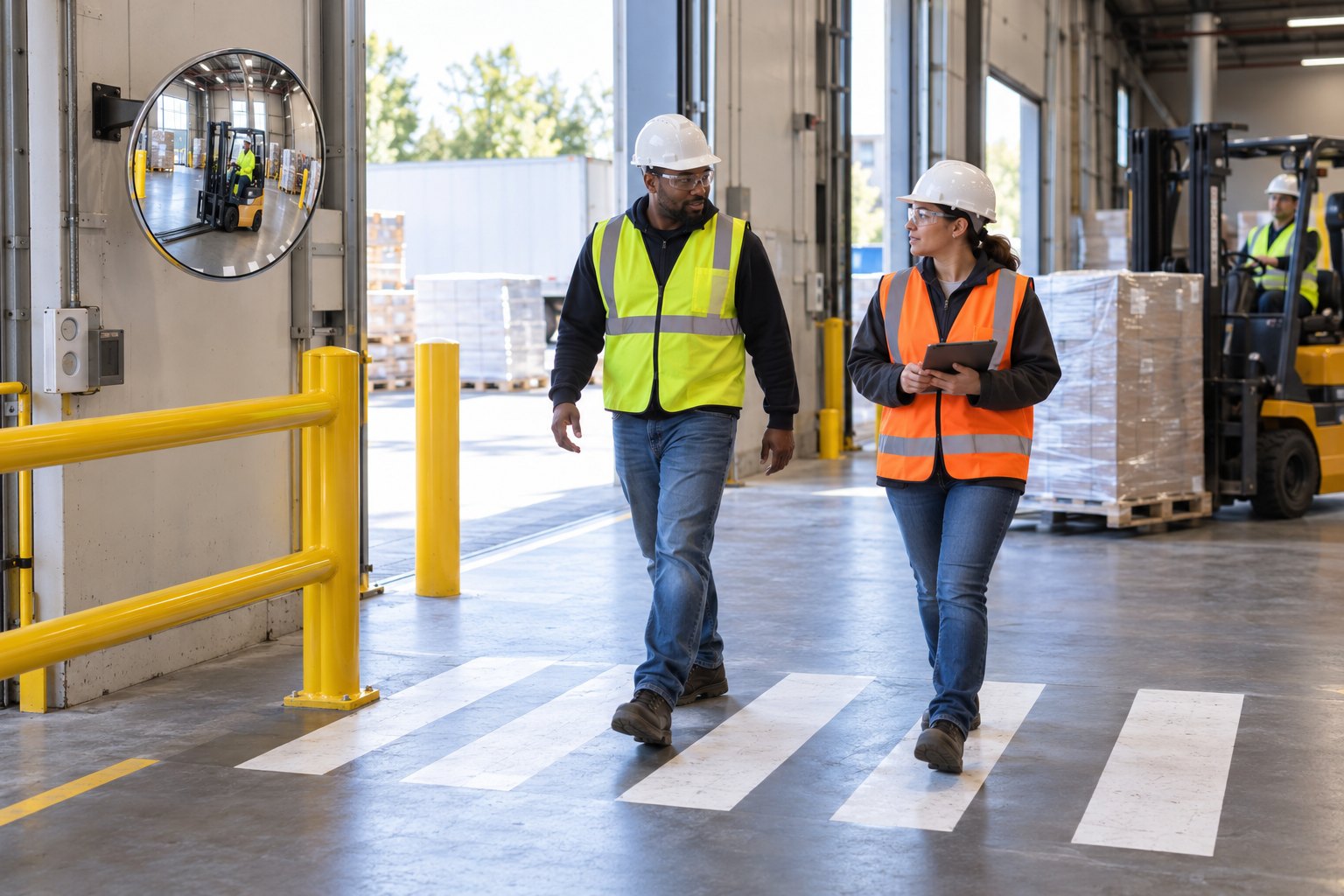
The Same Event Does Not Happen Twice.
A case at a site that runs X3 Incidents ends with a changed condition and proof of it.
Know earlier.
Treat the near miss as seriously as the injury it almost was.
Fix the condition.
Corrective actions change the work, not just the worker.
Prove it.
Show the investigation, the action and the effectiveness check.
Walk the Whole Product Today. Bring Your Site in Next.
The sample dashboard is open to everyone, no sign-in. Create an account to run X3 Incidents on your own sites, with your records saved.
$99 a month covers your first 10 employees. Then $10 a month for each employee from 11 to 50, and $5 for each one after that. Cancel any time.
- A privacy-aware incident chronology with human review gates, owned actions, and closure evidence.
- Works on its own. No other X3 product required
- Your sites, people and records, saved to your account
- Ask X3 for the regulation behind any question
All 9 X3 Incidents screens with sample data. Nothing you do there is saved or sent.
- Report an Event
- Case Log
- Recordability Guide
- And 5 more working screens
$549 a month for X3 Incidents
The sample dashboard uses illustrative data. Prices are per product, per month, in US dollars. Subscriptions renew monthly until cancelled.
Questions Safety Leads Ask About X3 Incidents.
Have one that is not here? Ask X3, or write to us and a person will answer.

Does X3 Incidents decide if a case is OSHA recordable?
Does it submit reports to OSHA?
How does it handle medical information?
Do I have to buy the whole family?
What can I use today?
How does pricing work?
You Already Investigate What Happens. Now Prove It Will Not Happen Again.
Open the sample dashboard and follow one near miss from the first report to the effectiveness check.